 VividPlay Arcade
VividPlay Arcade
VividPlay Arcade
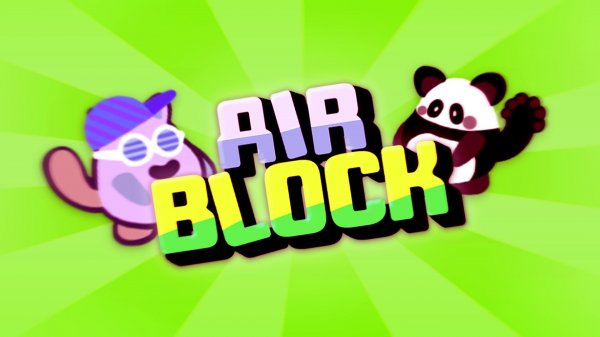
Air Block Arcade Platformer combines straightforward jumping with a block-placement mechanic that encourages forward thinking. Collecting bananas and avoiding saws and spikes gives each level a clear risk-reward loop, while two-player co-op or competitive mini-games extend the appeal for families and friends. The simple control scheme lowers the barrier to entry, though the lack of described difficulty options means challenge comes only from gradual level progression. It suits players who want a relaxed arcade platformer with a small strategic twist.
In Air Block Arcade Platformer, the main objective is to reach the exit of each level while collecting bananas for points. The twist is that you can place blocks to create new paths. This turns simple jumping into a planning exercise: a gap that looks impossible might be crossable if you spend blocks wisely. Blocks are limited, so you decide when to build a bridge, when to stack upward, and when to save resources for a tougher section later.
Levels contain obstacles such as saws and spikes. Touching them ends your run, so timing your jumps matters as much as planning your block use. Because blocks can also shield you or redirect your route, you have two tools for every hazard: jump carefully or build around it. The difficulty rises gradually, introducing longer gaps and trickier obstacle arrangements that demand both quick reflexes and forethought.
Air Block Arcade Platformer includes a two-player mode that works cooperatively or competitively. In co-op, you and a partner can share block placement duties and coordinate jumps. In competitive play, you race or compete in mini-games like the Beach Ball challenge. These modes use the same simple controls, so switching between solo and multiplayer does not require learning a new scheme. The result is a flexible arcade experience for families or friends.
Single-player controls use W or Up to jump, A/D or Left/Right to move, and Space, S, or Down to place a block. In two-player mode, Player 1 uses W, A/D, and Space or S; Player 2 uses Up, Left/Right, and Enter or Down. The layout is straightforward, making the game easy to start. Unlockable player skins give a light progression goal as you complete levels.
Sign in to comment
You must be logged in before posting a review or rating.
No comments yet. Be the first to comment!




Editorial Notes