How the Visual Comparison Works
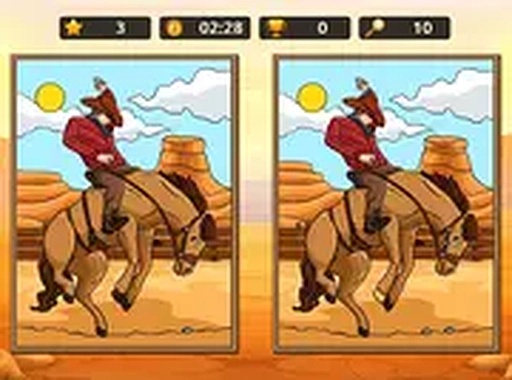
Each round shows two versions of the same Old West scene placed side by side. The player's only job is to find every discrepancy between them. Changes stay grounded in the setting: a fence post disappears, a cloud shifts shape, or a character's hat changes color. Because every scene shares the same dusty towns, open plains, and period details, searching feels like part of the theme rather than a generic puzzle overlay. One tap or click on a suspected difference is the entire control scheme. No menus, timers, or instructions interrupt the comparison. [IMG_1]
Why Difficulty Ramps Gradually
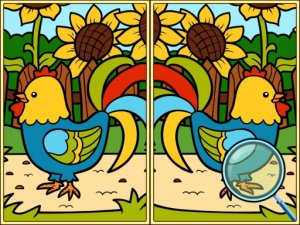
Early rounds keep changes obvious and few, so a first-time player can learn the format without frustration. As scenes grow more intricate, differences move into shadows, background objects, and the orientation of items that are easy to overlook. This progression stretches the same core task across a wider range of challenge. The game never adds a countdown or competitive pressure, which keeps the focus on careful looking rather than speed. [IMG_2]
Skills Practiced Through Play
Spotting differences requires sustained attention, pattern recognition, and visual memory. Players must hold one image in mind while scanning the other, then confirm or reject a match. Teachers and parents often use this type of activity for children who need practice focusing on details. The lack of time limits makes it suitable for younger players, while the later subtlety keeps older children and adults engaged. [IMG_3]
Access and Device Support
The game runs in any modern web browser with no download, installation, or account creation. It adapts to screen size automatically, so phones, tablets, and desktop monitors all work. Touch and mouse input are both supported. A full-screen option is available for players who want fewer distractions. This low barrier means anyone with an internet connection can start immediately, including players who avoid complicated game interfaces.
Compatibility
✅ This game supports:
- Desktop browsers (Chrome, Edge, Safari)
- Mobile browsers (Chrome on Android, Safari on iOS)
❌ Does NOT support: - Internet Explorer - Very old browser versions
👉 Try refreshing or updating your browser
 VividPlay Arcade








Editorial Notes