 VividPlay Arcade
VividPlay Arcade
VividPlay Arcade

Style My School Look focuses on creative expression rather than competition. Its strength is the freedom to assemble outfits from separate categories, with some items allowing color or pattern changes for extra personalization. Saving looks to a personal collection adds a sense of progression, and optional in-game sharing keeps the social side safe. The main limitation is that not every piece supports color or pattern edits, so customization depth varies by item. It suits younger players and casual fashion fans who want a relaxed, accessible experience.
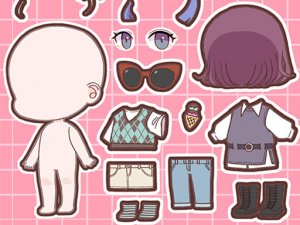
Style My School Look is built around assembling a full look rather than chasing a high score. Players browse separate categories for tops, bottoms, dresses, footwear, and accessories, then place each item on the character with a click or a drag-and-drop action. Clear icons mark each category, so moving between them does not interrupt the creative flow. Because swapping items is quick, it is easy to compare combinations and adjust a look until it matches what the player has in mind.
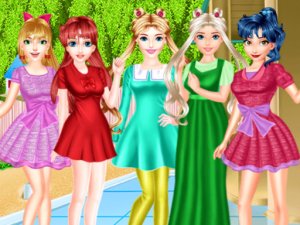
The graphics use bright, cheerful colors and a clean, cartoon-like rendering that keeps attention on the clothing instead of on busy background detail. Garments remain easy to distinguish from one another, which helps when layering pieces or matching tones. The overall mood stays relaxed, and the absence of timers or scoring means a session can last as long as the player wants. That approach suits younger players while still giving older fashion-minded players room to experiment.
Some items include options to change color or pattern, adding a further layer of customization for players who want a more coordinated result. Not every piece offers this, but the available adjustments reward attention to detail without demanding any advanced skill. Finished outfits can be saved to a personal collection, which acts as a gallery of past creations for revisiting or comparing over time. Some versions also include in-game sharing tools for showing outfits to friends or family, keeping the social side within a safe environment.
Mouse or touch input works smoothly, and the layout stays consistent across screens. There are no complex menus or hidden features, so a new player can begin creating almost immediately. The game does not require reading long instructions, which makes it usable even for pre-literate children. Simplicity is the point: the focus stays on creative expression rather than on learning mechanics.
Sign in to comment
You must be logged in before posting a review or rating.
No comments yet. Be the first to comment!







Editorial Notes