Racing Without Installation
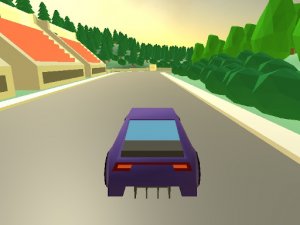
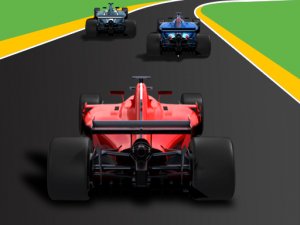
Turbo Drive Racing Pack loads directly in a web browser, so there is no download or installation step. The game is built for both desktop computers and mobile browsers, which means the same racing challenges are available whether you are at a keyboard or on a touchscreen. Each session begins with a control guide, and reviewing it before the first race helps new players understand how to steer, manage speed, and respond to track conditions.
Objectives and Track Variety
Every round has a specific task. Some ask you to finish in a certain position, while others require completing a challenge within a time limit. Tracks and environments change across the game, and other vehicles on the road force you to adjust your line and timing. The pace shifts between moments of speed and periods where careful control matters more than acceleration. This structure gives each attempt a clear goal and a reason to retry for a better result.
Progression and Personal Bests
The difficulty curve starts gently, giving new drivers room to practice basic movement and build confidence. Objectives gradually become more demanding, and the reward system tracks completed goals and personal best times. Because the game supports both quick sessions and longer play periods, progress can happen in short bursts or extended runs. Different driving scenarios and modes keep the experience from feeling identical each time you open it.
Controls and Decision Making
Keyboard or mouse inputs handle steering, speed, and reactions to obstacles. Success depends on staying focused, choosing good positions, and making quick decisions rather than rushing. Early stages are the best place to learn the game's rhythm before difficulty increases. Combining smooth driving with smart choices matters more than raw speed alone, and each failed attempt provides information for the next try.
Compatibility
Play on Any Device | Chrome / Safari / Edge Recommended
 VividPlay Arcade




Editorial Notes