Chibi Halloween Card Maker
Reviews
💡Chibi Sup Color Game provides a gentle, screen-based art activity for young children. The character designs are appealing, and the palette offers enough variety without overwhelming. The lack of timers or scores reduces pressure, letting kids focus on creativity. Replay value comes from trying different characters and color combinations. It is a solid choice for parents seeking a wholesome digital pastime.
Description
Game Introduction
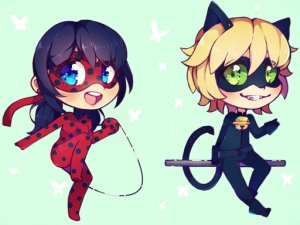
Chibi Sup Color Game: Halloween Card Maker invites young artists to celebrate the spooky season with color and imagination. This game offers a selection of cute chibi characters, including superheroes and friendly animals, each ready to become part of a unique greeting card. Children can freely experiment with a bright color palette, filling in different areas of the card to create their own design. The process is simple and intuitive, making it accessible for early learners. Once the artwork is complete, players can take a screenshot to save their creation and share it with family or friends. This activity promotes artistic expression and thoughtful giving, all within a family-friendly environment free from ads or inappropriate content.
How to Play
To play, start by browsing the character gallery and picking your favorite chibi superhero or animal. Tap or click on the card to select a section, then choose a color from the palette to fill it. You can switch colors at any time and redo parts if needed. There is no timer or score, so children can work at their own pace. After finishing, use the screenshot function on your device to save the card. Then share it via email, messaging apps, or social media to spread Halloween cheer. The game requires no reading skills, making it suitable for preschoolers and early elementary kids.
Game Features
Features include a variety of cute chibi characters with a Halloween theme. The coloring tools are easy to use with just a tap or click. Players can design multiple cards and save each one as a screenshot. The game encourages sharing artwork with loved ones, fostering social bonds. No in-app purchases or external links keep the experience safe for children.
Tips for Success
Encourage children to experiment with different color combinations to make each card unique. Taking breaks can help maintain focus and creativity. Saving screenshots after each design allows for a collection of cards to share throughout the season. Discussing the card's recipient with your child can add a personal touch to the artwork.
Compatibility:
✅ Works on PC & Mobile | Recommended: Chrome / Safari / Edge
Faq
Is this game suitable for very young children?
Can I save my cards to print later?
Does the game include any scary Halloween content?
Are there any in-app purchases or ads?
How many different characters are available to color?
Can I share my child's artwork on social media?
Popular Similar Games

Chibi Halloween Card Maker
Chibi Halloween Card Maker

Princess Dress Up Adventure
Princess Dress Up Adventure
Fashion Dress-Up Game
Fashion Dress-Up Game

Chibi Fashion Show Dress Up
Chibi Fashion Show Dress Up

Baby Phone: Numbers & Rhymes
Baby Phone: Numbers & Rhymes

Frozen Rose Dress Up Game
Frozen Rose Dress Up Game